
Songs
Your entire repertoire, in one place.
Stop losing track of chords on napkins and recordings scattered across five different apps. nGage.band keeps every song your band plays, with all its details, files, and recordings, neatly organised and always accessible.
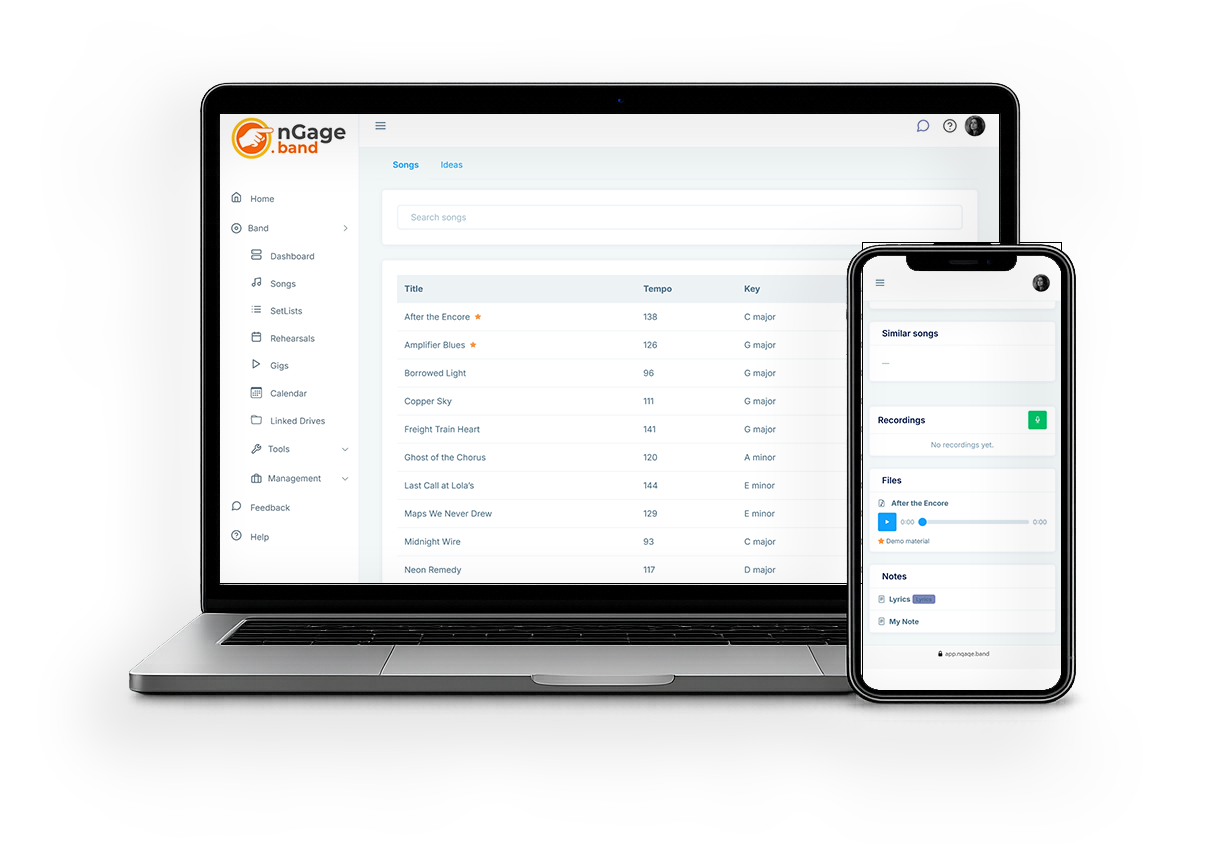
The Songs module is the very core of your band and it's stuffed with everything you need, without becoming bloated.

What it does
Store everything about a song
Title, key, tempo, duration, vocal load, and the feel of each track, energy, valence, danceability, loudness, so you can filter, sort, and build setlists with a clearer picture of every song. Search the list as you type; accents and punctuation don’t get in the way.
Record directly in the app
Capture a rehearsal take, a quick arrangement idea, or a full run-through within the app. No extra software needed.
Analyze song
Analyse a recording for tempo, key, vocal load, and the feel of the track, and optionally generate a chord chart you can edit by hand until the sheet is stage-ready.
Attach files and notes
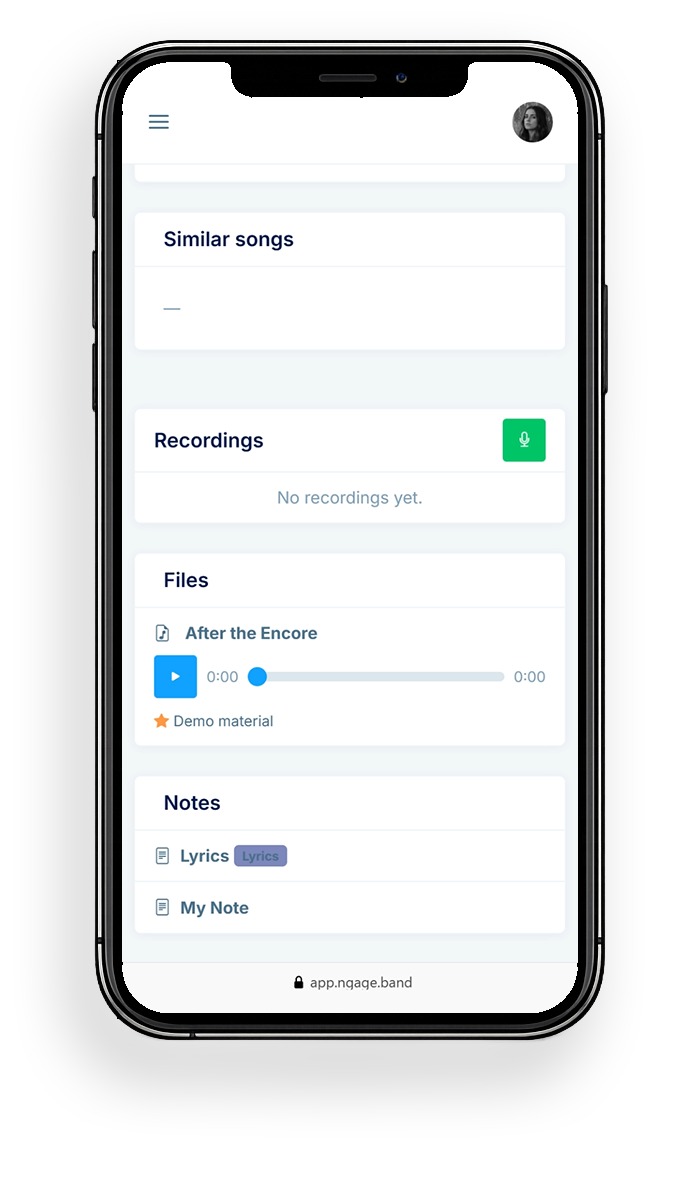
Sheet music, chord charts, lyrics, reference recordings, attach them directly to the song. Charts live with the song, and you can open them from the list when a song has one.
Works on any device
Whether you're at your desk or backstage with your phone, your songs are always accessible.
Flow Chart
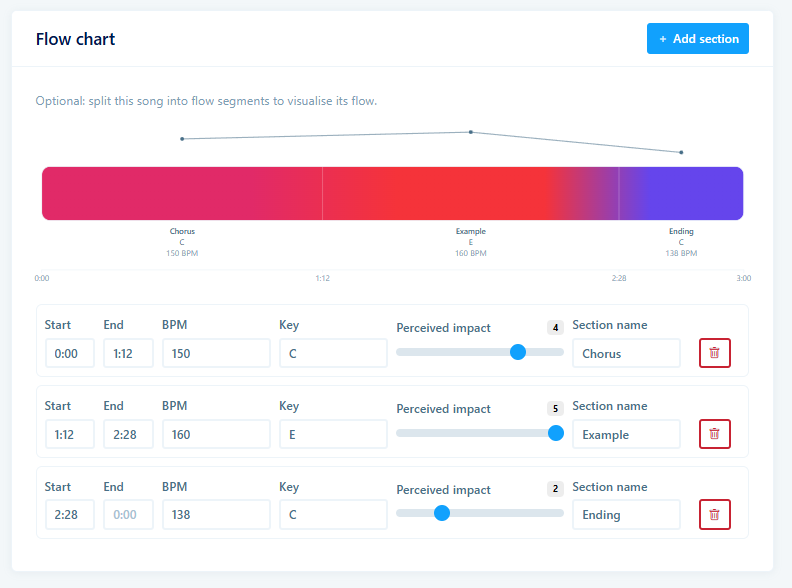
You can devide your song in various sections, each with their own tempo and impact settings. This makes it easier to check how the song fits into your set, and is a step towards the soon to be implemented clicktrack functionality.
The tempo and settings changes within one song are also shown in the setlist flow chart.
How it works
- Add a song, fill in title, key, tempo and any other details.
- Record a take directly in the browser, or upload existing audio.
- Attach files: PDFs, images, audio, or link from your cloud storage.
- Write notes for lyrics, chords, or arrangement tips.
- Your bandmates see everything instantly.
Storage limits
We're not trying to become another cloud storage service. You get 10Gigs of storage with any account which is meant for storing the files and recordings you upload in the Songs module and in your Band profile and that 10G should be enough for most bands. If you think you need more uploads or recordings, you should probably reconsider... in order to keep your files organised.
But if you really insist on needing more storage, you can increase your storage through your account for a small extra fee per month. You can also link an external cloud service such as Dropbox or WebDAV services (there are some cheap and reliable options available!) and use that for storage instead.
Linking your external drives also has the advantage that you and possibly your other users can access this storage directly from the nGage app using the Linked Drives module.
Due to heavy restrictions we do not support Google Drive, One Drive or iCloud Drive yet. Support for those is on the roadmap for the next few months though. We would recommend a 1TB Storage Box at Hetzner, it's very cheap and reliable and works seamlessly with the nGage.band app.
Practise a song
If you right-click any audio file you uploaded or recorded with your song, (long press on the native apps or mobile screens) you can choose 'practise'.
The practise page will open, where you can change the tempo of the song, loop sections of it or change the pitch for practising purposes.
In-app recording
On the Song view and edit pages, you can record your rehearsal or idea directly into the app. Recording length depends on your plan, enough for a full run-through without turning the app into a cloud locker. Link external storage if you need longer takes. You can choose to record in mono or stereo, this of course depends on what your device supports.
Recordings are done in a good audio quality and converted to mp3 before they are stored to save space.
iReal Pro compatibility
Search a song on iReal Pro, import it to nGage.band, or export it back to iReal Pro for practising with their awesome acompaniment system!
Chord extraction
nGage has its own local AI that listens to your recordings and audio files. It extracts the chords, the tempo, the key, the vocal load, and the feel of the track, energy, valence, danceability, loudness, all filled in for you. Edit chords by hand, label sections, and hide bars to get the perfect sheet.
Metronome and Key
The Song View and Edit pages have built in metronome and key functions so you can instantly play a beep in the right tempo or quickly hear the key to start singing!
Files and Notes
You can upload various file types such as PDF chord schemes or lyrics, but you can also type the chords, lyrics and other info in a note and download that as PDF or Word file at any time.
Ready to get your band organised?
Try nGage.band free for 30 days, every feature included, for your whole band.